
You just got a new fish finder, and you’re staring at the tangled mess of wires near your trolling motor battery. The thought of splicing into your main power feed feels risky, and the idea of running a separate battery sounds like overkill. Most anglers hit this exact wall. They want clean sonar without draining their starting battery or creating a fire hazard.
This guide walks you through the entire process, from choosing the right wire gauge to calculating the total amp-hour draw so you don’t get stranded. You’ll also learn how to stop the trolling motor from causing static on your screen. By the end, you’ll have a safe, reliable setup that works on the water.
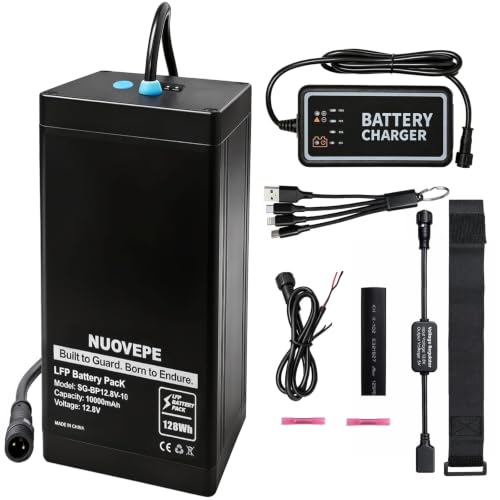
NUOVEPE
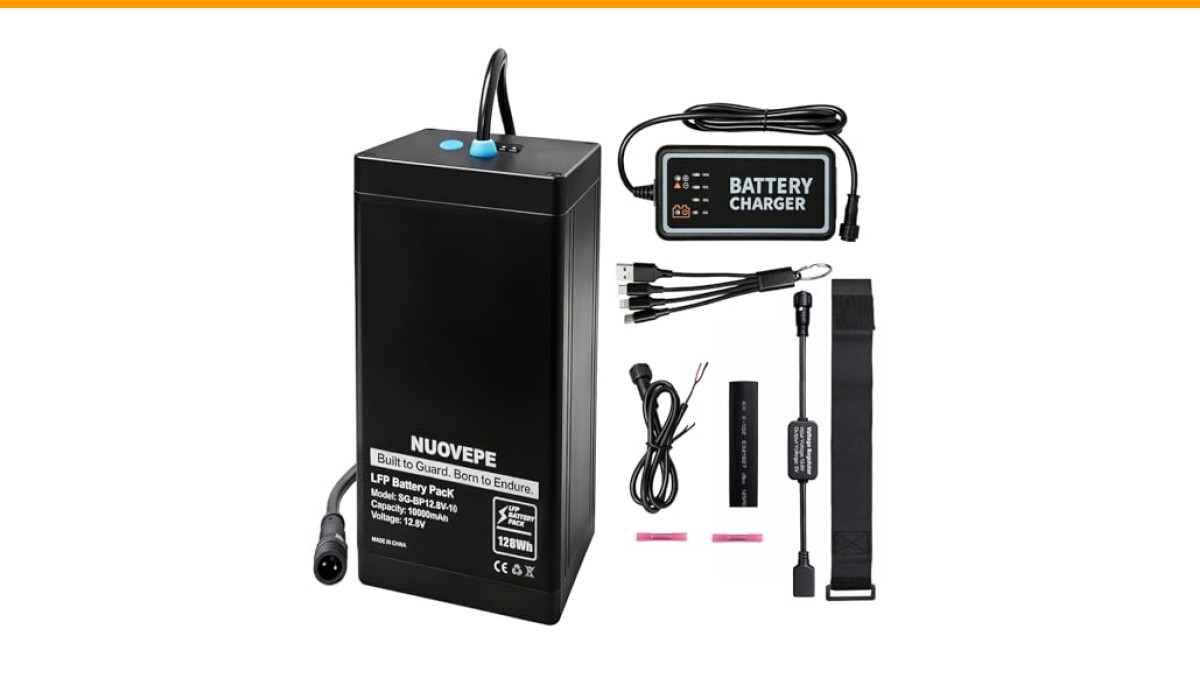
12V 10Ah Portable Lithium Fish Finder Battery Kit, 4-in-1 Charging Cable | Waterproof kayak battery with 4-in-1 charging cable for marine fishing; powers GPS, phones, action cameras & outdoor devices
- Say goodbye to the hassle of charging multiple devices: This 12V lithium battery kit includes a 4-in-1 charging cable that support…
- Excellent Waterproof Performance and Efficient Heat Dissipation: This marine battery features an aluminum alloy structure, compare…
- Reliable Power Kit – Essential for Explorers: This lithium battery power kit is compatible with fish finders, GPS, depth sounders,…
If you’re running a kayak or a small jon boat, a dedicated power source like the NUOVEPE 12V 10Ah Portable Lithium Fish Finder Battery Kit simplifies things. It comes with a 4-in-1 charging cable, so you can top off your phone or GPS with the same battery that runs your sonar. It’s a clean alternative to tapping into a big trolling battery when you don’t need that much capacity.
Why Connect Your Fish Finder to the Trolling Motor Battery?
Most fish finders draw between 0.2 and 1.5 amps per hour, depending on the screen size and whether the backlight is on full. A trolling motor battery, usually a 12V deep-cycle group 24 or 27, holds 75 to 100 amp-hours. That’s plenty of headroom for a day of fishing.
Connecting to the trolling motor battery means you only carry one battery for the front of the boat. It also keeps the wiring short, which reduces voltage drop. Long runs of thin wire from the back battery to the bow lose power and can cause the unit to reboot when the motor surges.
But there is a catch. The trolling motor creates electrical noise, and the fish finder is sensitive to it. You need to wire them in parallel, not in series, and you need to separate the power cables from the transducer cable. More on that in a minute.
Tools and Materials You Need for the Wiring Job
Before you touch a wire, gather everything. You don’t want to be halfway through and realize you’re missing a fuse holder.
- Wire: 16 AWG for runs under 10 feet, 14 AWG for longer runs. Do not use the thin speaker wire from your stereo.
- Inline fuse or fuse block: A 3-amp fuse is right for most sonar units. Check your manual for the exact rating.
- Ring terminals: Crimp-on, sized for your battery posts (usually 1/4-inch or 5/16-inch).
- Heat shrink tubing or electrical tape: For waterproofing the connections.
- Crimping tool: A cheap one works, but a ratcheting one makes better connections.
- Wire strippers: Do not use a knife. You’ll nick the copper.
- Zip ties: For securing the cable along the shaft and deck.
If you are adding multiple electronics later, pick up a small fuse block with an integrated negative bus. It costs about $15 and makes the install much cleaner than a dozen inline fuses.
Step-by-Step Wiring Guide (Direct Connection vs. Fuse Block)
You have two options. A direct connection to the battery terminals is the simplest path. It’s fine for a single fish finder with a short power cable. A fuse block is better if you plan to add a GPS, a radio, or lights later. It gives you a centralized distribution point and protects each device individually.
I prefer the fuse block for most boats. It costs a little more and takes an extra hour to install, but it saves you from splicing into the factory harness later. It also makes troubleshooting easier when something stops working.
Connecting the Power Cables to the Battery Terminals
- Disconnect the trolling motor leads from the battery first. You never want to work on a live circuit.
- Strip about 1/4 inch of insulation from the fish finder’s power wire. Most units come with a red (positive) and black (negative) wire.
- Crimp a ring terminal onto each wire. If you’re using a fuse block, skip this step and connect the wires to the block terminals instead.
- Attach the positive lead to the battery post, then the negative lead. Put the ring terminal on top of the trolling motor’s lead, not underneath it. This ensures good contact.
- Tighten the nut snugly. A loose connection causes arcing and heat.
- Reconnect the trolling motor leads and turn on the fish finder to test.
If you are running a direct connection, put the inline fuse on the positive wire, as close to the battery as possible. That protects the entire length of the wire from a short circuit.
Routing the Transducer Cable to Avoid Interference
The transducer cable carries a weak signal from the sonar element to the display. If you run it alongside the trolling motor’s power cables, the electromagnetic field from the motor will induce noise into the signal. You’ll see random dots on the screen or a complete loss of bottom reading.
Route the transducer cable on the opposite side of the shaft from the power cables. Use zip ties to secure it, but leave a little slack near the transducer head so it doesn’t pull loose when the motor turns. If you must cross the power cable, do it at a 90-degree angle. That minimizes the surface area where interference can occur.
How to Calculate Battery Capacity for Fish Finder and Trolling Motor
This is the part most people skip, and it’s why they end up with a dead battery at noon. You need to add up the amp-hour draw of both devices, not just the trolling motor.
Let’s say your trolling motor draws 25 amps at full speed, but you rarely run it above 50% power. At 50%, it draws closer to 12.5 amps. Your fish finder draws 1 amp with the backlight on. Total draw is 13.5 amps per hour.
A group 24 battery has about 75 amp-hours of usable capacity, but you should only discharge a lead-acid battery to 50%. That gives you about 37.5 usable amp-hours. Divide that by 13.5 amps, and you get roughly 2.7 hours of continuous use. That’s not much.
If you run the motor at 30% power and turn the fish finder screen brightness down, you can stretch that to 4 or 5 hours. A lithium battery, like the one from NUOVEPE mentioned earlier, changes the math. You can discharge a lithium iron phosphate battery to 90% without damage. A 10Ah lithium battery gives you about 9 usable amp-hours, which is plenty for a kayak day with a small sonar unit.
Here is a quick reference table for common setups:
| Battery Type | Usable Capacity | Typical Runtime (Motor at 50%, Sonar on) |
|---|---|---|
| Group 24 Lead-Acid | 37.5 Ah | 2.5 – 3 hours |
| Group 27 Lead-Acid | 50 Ah | 3.5 – 4 hours |
| 12V 10Ah Lithium (NUOVEPE) | 9 Ah | 1 – 1.5 hours (sonar only) |
| 12V 50Ah Lithium | 45 Ah | 6 – 8 hours |
Always add a 20% safety margin to your calculations. A battery that is fully drained is a battery that gets ruined.
Preventing Electrical Noise and Screen Interference
You’ll know you have interference when the fish finder shows a solid band of noise at the top of the screen or random flickering pixels that don’t match the bottom. This is not a software bug. It’s electrical noise.
The trolling motor’s brushes create sparks as they commutate. Those sparks generate a broad spectrum of radio frequency noise. The fish finder’s transducer cable acts like an antenna and picks it up.
Here are the fixes that actually work:
- Ferrite chokes: Snap one onto the power cable near the fish finder display. It suppresses high-frequency noise. They cost a couple of dollars.
- Twisted pair wiring: If you’re running a long power cable, twist the positive and negative wires together. This cancels out magnetic interference.
- Separate grounds: Do not ground the fish finder to the trolling motor’s mounting bolt. Use the dedicated negative wire from the battery.
- Use a lithium battery: Lithium batteries hold voltage more steadily than lead-acid under load. A voltage drop from a sagging battery can cause the sonar to reboot or act erratically.
If you still see noise after all that, check your transducer mounting. A transducer that is too close to the propeller will pick up cavitation bubbles, which look like interference but are actually a physical issue.
Safety Precautions: Fuses, Circuit Breakers, and Waterproofing
Do not skip the fuse. The wire from the battery to the fish finder is an unfused run if you don’t put one in. A chafed wire against the aluminum hull could start a fire before the battery dies.
Use a fuse rated for the wire, not the device. A 16 AWG wire can handle 10 amps, but your fish finder only needs 3. Put a 3-amp fuse in there. It blows faster and protects the device better. For a fuse block, use individual 3-amp fuses for each accessory.
Waterproofing is non-negotiable. Even a small splash can corrode a crimped connection. Use marine-grade heat shrink terminals with an adhesive lining. They seal the connection completely. For the fuse block, mount it in a dry location, like inside a console or under a deck hatch.
One more thing: never connect the fish finder to a 24V or 36V trolling motor system without a DC-DC step-down converter. Most fish finders only accept 10-18V DC. Plugging into a 24V system will fry the unit instantly.
Troubleshooting Common Power and Display Issues
Let’s run through the usual suspects when things go wrong.
Unit won’t turn on. Check the fuse first. If it’s blown, you have a short somewhere. Look for pinched wires near the battery terminals. Then check the voltage at the connector with a multimeter. You should see at least 12V.
Screen flickers when the motor runs. That’s voltage drop. The battery can’t hold a steady voltage under load. Test the battery with a load tester. If it drops below 10V when the motor runs, replace the battery.
Buzzing sound from the transducer. This is usually a grounding issue. Make sure the negative lead is connected directly to the battery negative post, not to the boat’s ground bus.
Unit works on the bench but not on the water. Check the transducer cable for a loose connection. The connector on the back of the fish finder can vibrate loose. Apply a little dielectric grease to the connector to keep moisture out.
If you’ve checked all this and still have issues, take a look at the DIY wiring guide from Fishing and Fish for a different perspective on the same process. Sometimes a second diagram helps things click.
Final Checklist and Maintenance Tips
Before you hit the water, run through this list. It takes two minutes and saves you a trip back to the ramp.
- All connections are tight and covered with heat shrink.
- The fuse is rated correctly and easily accessible.
- The transducer cable is routed away from the motor’s power wires.
- You know your total amp-hour draw and the battery’s usable capacity.
- You have a spare fuse in your tackle box.
- The battery terminals are clean and coated with anti-corrosion spray.
- You tested the unit on the water at slow speed and full speed.
At the end of the day, disconnect the fish finder plug or turn off the unit. A fish finder left on will drain a battery to zero overnight. Also, check the battery voltage after a full day. If it’s below 12.4V, you need to charge it before the next trip. Lead-acid batteries hate being stored partially discharged.
Proper wiring isn’t hard, but it demands attention to detail. Take the extra hour to do it right, and you’ll have a setup that works for years without a hiccup.
